

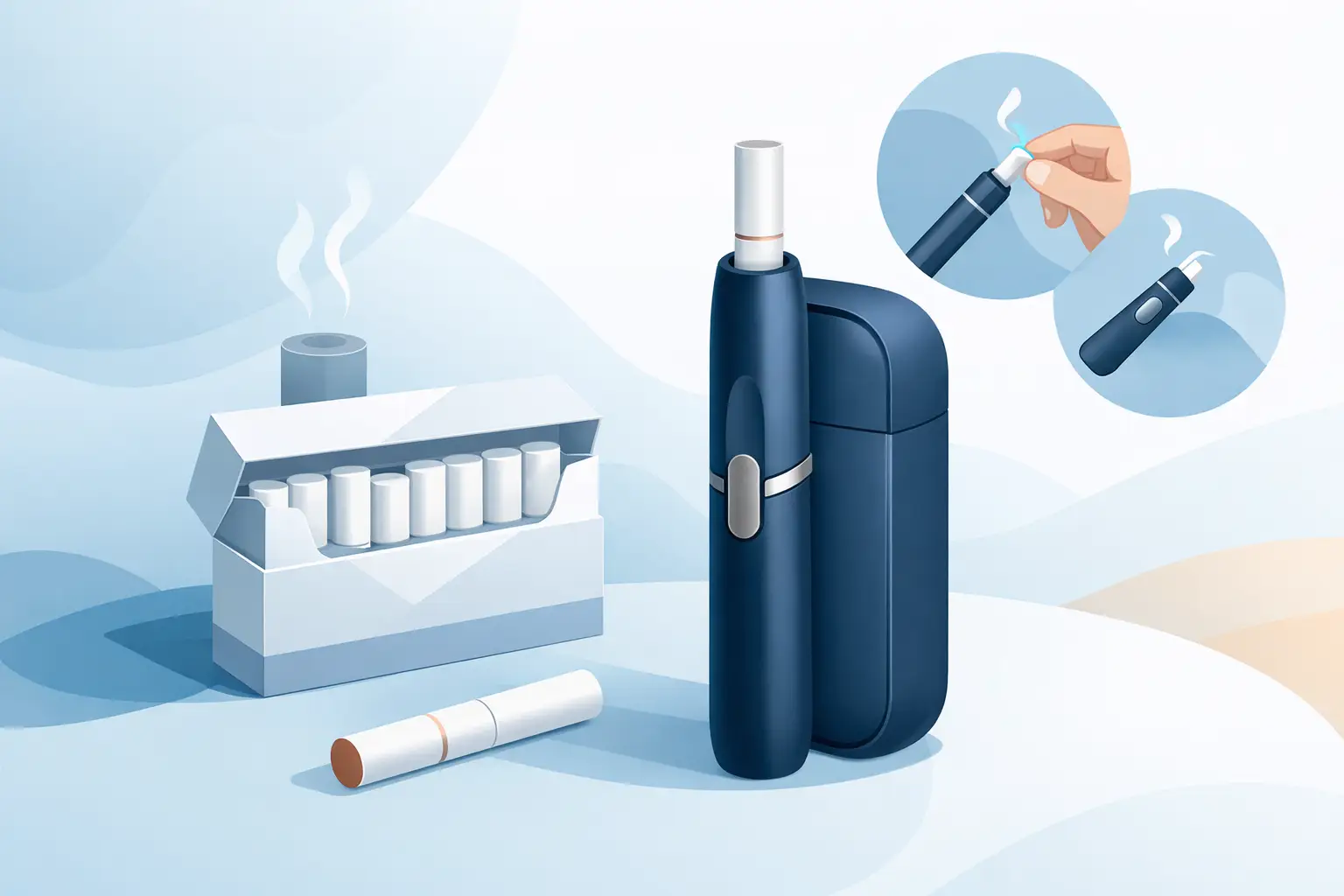
A HEETS stick is designed to be heated, not burned, so the right setup changes the whole experience. If you are learning how to use HEETS sticks, start by checking your device model: HEETS work with compatible IQOS devices that use a heating blade. They are not made for IQOS ILUMA models, which use Terea sticks instead. Using the wrong stick can damage the device or leave you with a poor session.
HEETS contain tobacco and nicotine, which is addictive. They are intended only for adults 18+ who already use nicotine or tobacco products. They are not risk-free and are not a smoking-cessation product.
How to Use HEETS Sticks Step by Step
Before your first session, make sure the IQOS holder and its pocket charger have enough battery. A low battery may stop the device from reaching its intended heating temperature or shorten the session. Charge the pocket charger with the supplied cable, then place the holder inside until it is ready.
Take one HEETS stick from a fresh pack. Hold it by the tobacco end, not the filter, and keep the printed tobacco plug facing down. Insert it gently into the holder with the colored filter facing outward. Stop when the filter line reaches the top edge of the holder. Do not twist the stick while inserting it. The heating blade sits in the tobacco section, and twisting can bend or break it.
Once the HEETS stick is in place, press and hold the holder button until it vibrates and the light begins flashing. That means the device is warming up. After the second vibration and a solid white light, it is ready to use. This preheating period usually takes around 20 seconds, although timing can vary by device model and battery condition.
Take slow, steady draws rather than sharp cigarette-style puffs. Heated tobacco produces an aerosol differently from a burning cigarette, so aggressive puffs will not necessarily create a stronger experience. A session generally lasts about six minutes or up to 14 puffs, depending on how you use it and which compatible IQOS model you own.
Near the end, the holder will vibrate again and the light may flash. This is your warning that only a few puffs remain. When the device switches off, remove the used stick by sliding the cap upward first, then pulling the stick straight out. Never pull it out before lifting the cap, as this can leave tobacco inside the holder or damage the blade.
Place the holder back in its charger after each session. Most blade-based IQOS holders need to recharge before the next HEETS stick, so keeping the charger topped up makes a noticeable difference when you are out in Dubai or traveling across the UAE.
Check HEETS and IQOS Compatibility First
This is the detail that prevents the most common mistake. HEETS sticks are made for earlier IQOS systems with a blade inside the holder, including compatible IQOS Original, IQOS 2.4, IQOS 3, IQOS 3 DUO, and similar blade-heating models. The blade enters the tobacco plug and heats it from within.
IQOS ILUMA devices do not use a blade. They use induction heating and are built exclusively for Terea sticks. Do not insert HEETS into an ILUMA holder. Likewise, do not use Terea in a blade-based IQOS device. The products may look similar in a pack, but their internal construction is different.
If you are unsure which device you have, look inside the holder. A visible ceramic blade means it is a HEETS-compatible model. No blade generally means you have an ILUMA device and should choose Terea instead.
Do Not Cut, Crush, or Refill a HEETS Stick
Each HEETS stick is a single-use tobacco unit with a filter and tobacco plug designed for one heating session. Do not cut it shorter, remove its filter, refill it with loose tobacco, or try to use it a second time. Reusing a stick will not restore flavor and may create residue in the holder.
The same rule applies to damaged sticks. If a stick is crushed, wet, torn, or loose at the tobacco end, discard it. A fresh, intact stick gives the most consistent draw and helps keep the device clean.
Get a Better HEETS Session
A good session is mostly about device care, stick condition, and puff style. HEETS should slide in with light pressure. If you need to force one into the holder, stop and inspect the chamber for leftover tobacco or residue. Forcing a stick can damage the blade, which is one of the most delicate parts of a compatible IQOS holder.
Keep HEETS in their original sealed pack until you are ready to use them. Store packs in a cool, dry place away from direct sun, hot cars, and humidity. Extreme heat can dry tobacco and change the taste, while moisture may make the draw feel tight. Do not leave an open pack in a pocket or bag for long periods if it can be crushed.
Puff technique also matters. Slow, measured draws usually give a smoother result than quick, repeated puffs. If the taste seems weak, first check the device charge and clean the holder before assuming the pack is the problem. A fully charged, well-maintained device tends to deliver a more reliable session.
Flavor preference is personal. Some adults prefer classic tobacco profiles, while others choose smoother, menthol, or aromatic options where available. The best choice depends on what you already enjoy and what is available for your compatible device. Buying a few different packs can be more practical than committing to a carton before you know your favorite.
Clean Your IQOS Holder Regularly
Cleaning is not optional if you use HEETS regularly. The tobacco plug can leave residue around the blade and inside the cap, especially after multiple sessions. Buildup may make sticks harder to insert, reduce airflow, or create an unpleasant aftertaste.
Allow the holder to cool before cleaning. Open the cap and use the cleaning tool designed for your IQOS model. Insert it gently, rotate it carefully, and avoid pressing against the blade. The blade is fragile, so speed and force work against you here. Use the cleaning sticks or brushes recommended for the device to remove remaining particles from the cap and chamber.
How often you clean depends on use, but doing it after roughly every pack is a sensible routine. Clean sooner if you notice restricted airflow, loose tobacco after removing a stick, or a change in taste. If the device is not heating, will not charge, or has a damaged blade, stop using it and arrange professional support rather than trying to repair it yourself.
Common HEETS Problems and Simple Fixes
If the HEETS stick will not go in properly, check that the cap is fully open and that no tobacco is left inside the holder. Do not push harder. Clean the chamber, let it cool, and try a new stick.
If there is little aerosol or flavor, the holder may need charging or cleaning. Cold temperatures can also affect battery performance, while a dried-out pack may affect taste. Let the device return to room temperature, recharge it, and use a fresh stick stored correctly.
If tobacco remains inside after a session, always slide the cap upward before removing the stick. Pull it out slowly and straight. If the tobacco plug separates, do not use sharp objects near the blade. Let the holder cool and clean it with the correct tool.
For adults in the UAE who need compatible devices, HEETS, and replacement essentials without wasting time visiting multiple stores, Vape Market Dubai offers a practical local option with fast delivery and cash-on-delivery convenience. Just confirm your device type before ordering, especially if you are choosing between HEETS and Terea.
The simplest habit is also the one that protects your device: use the correct stick, insert it gently, clean the holder regularly, and recharge after every session. That gives you a cleaner, more consistent HEETS experience from the first stick in the pack to the last.